How to make an AI Christmas card with everyone in it
Use one clear, front-facing photo of each person, taken in daylight, then pick a scene and add a short message. Nobody has to be in the same photo, or even the same city. Of the 834 Christmas cards people made with HiWith from November 3 to 16, 328 had two or more people on them, each from a photo of their own.
Who’s in it?
Pay, and it’s ready in about 20 seconds
Four pictures to pick from, no watermark, a link that opens on any phone. We email it to you too.
Sent. Its link opens this card.
Your first 2 cards are free 🎁
Sign in and this one is yours: four pictures, no watermark, and the video.
Send this one with HiWith Pro
$7.99/mo
- Pictures and a video for each card
- A card for every occasion
- Send them by link
Most of the work in an AI Christmas card happens before the AI does anything: choosing the photos, deciding who's in it and keeping the words short.
We can be specific about this because 446 people made 834 Christmas cards with HiWith between November 3 and November 16, and we counted what went into them: how many people, which photos our check flagged, which scenes they picked and how long their messages ran. Our own test cards are left out of every number here. This guide goes through the job in order and links the pages that go deeper on each step.
Christmas cards made from your photos
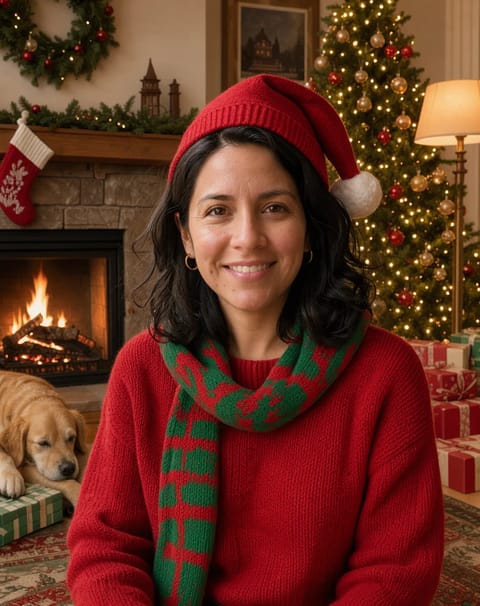
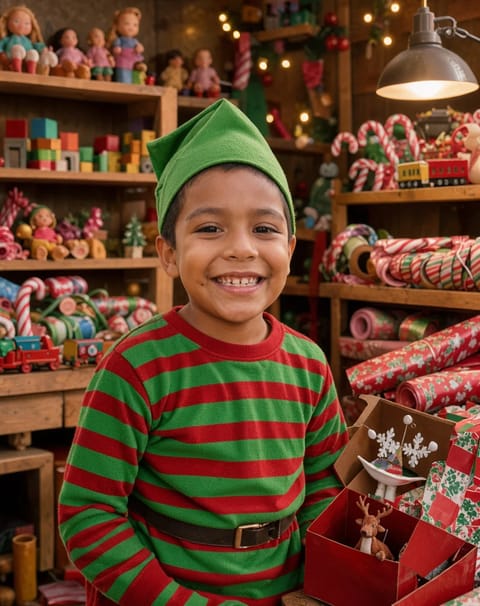
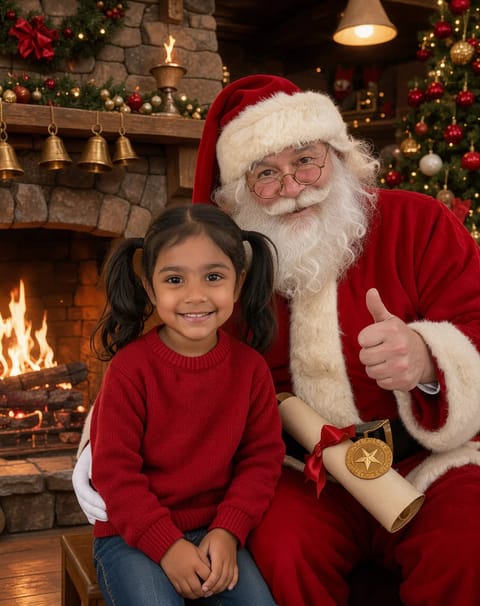
What went into 834 Christmas cards
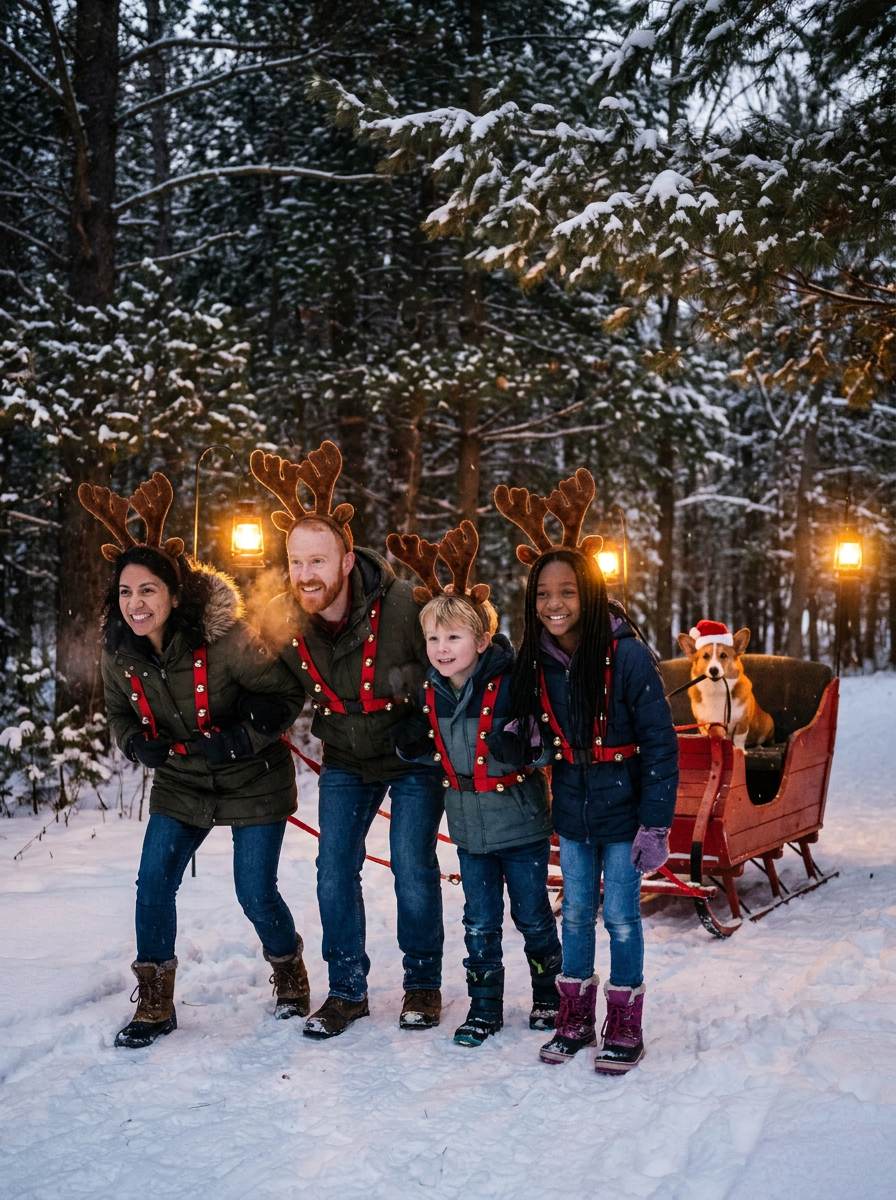
Most cards were for one person. 506 of the 834 had a single face on them, often a child on Santa's Nice List or one grown-up in a reindeer harness. The other 328, about two in five, had between two and five people, every one of them from their own photo, and 57 had the full five.
Keep one thing in mind about these numbers. Most of the people who made them found us through our ads on Facebook and Instagram, and those ads mostly show the Family Reindeer. So the scene counts further down say as much about our ads as about anyone's taste. The photo and message counts don't depend on the ad.
| People on the card | Cards | Share of the 834 |
|---|---|---|
| 1 | 506 | 61% |
| 2 | 138 | 17% |
| 3 | 70 | 8% |
| 4 | 63 | 8% |
| 5 | 57 | 7% |
First decide how much you want to do yourself
There are three ways to get an AI Christmas card, and they suit different people.
You can write a prompt in an image tool that takes a photo, like ChatGPT or Gemini. You get full control, and you do all the steering. When we ran 12 Christmas prompts on Google's Gemini image model in November, the faces held up, but the misses were the kind you only notice on the second try: clothes carried over from the photo, the back of a child's head, strangers at the party. Our AI Christmas photo prompts are 26 prompts rewritten to avoid those misses.
You can use a card maker where the scenes are already written. That's what HiWith is. You add a photo of each person, pick a scene, and your Christmas card comes back as four pictures and a short video, with a link you can text. There's no prompt box. That's the appeal, and if you like tinkering, it's also the catch.
Or you can skip AI and print a real photo card. If you want paper in the mailbox, a print shop does that better than we do, and our comparison of family photo card apps says which ones.
Pick the photos before you pick the scene
Our photo check looks at the first photo on every card before anything is drawn. On 833 cards it called 616 faces clear and flagged 178 as blurred, a little over one in five. Another 18 faces were too small to use, and in 21 photos it found no face at all. The card starts from that face, so this is the step worth slowing down for.
The photo that works is a boring one. One person, face toward the camera, both eyes showing, daylight from a window. A selfie is fine. A face cut out of the back row of a group shot usually isn't, because it comes out small and soft. The photos don't have to match, either: Grandpa's from last summer and the baby's from this morning can end up in the same scene.
If you'd rather take a real family photo this year and keep it, our 21 photo setups you can shoot at home are a good place to start.
Getting everyone in, even the ones who live far away
This is what a group photo can't do. Each person on a HiWith card comes from a photo of their own, so the cousin two states over, the grandparents who aren't flying in this year and the college kid who won't answer texts can all end up in the same sleigh. The group scenes, like the Family Reindeer and Card Photo, Take 47, take up to five people. Others are made for one or two.
Give every person their own photo, even siblings who happen to share one. The card is built around one face per photo.
On the Family Reindeer the dog gets its own seat, at the reins, and 139 cards had someone's pet on them. What those people did, and which dog photo works best, is in how to get your dog on the card.
Choosing the scene
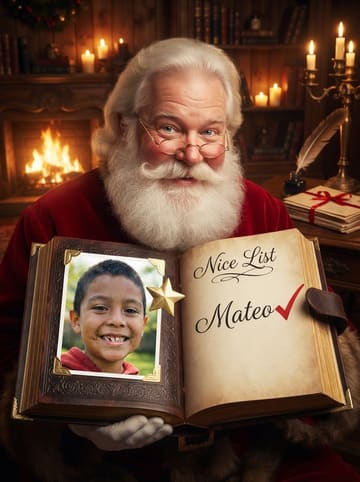
The Family Reindeer was made far more than any other, 439 of the 834 cards, with 2.2 people on each on average, and it's also the one our ads show most. After it came Santa's Nice List (90 cards, always one person), Card Photo, Take 47 (76 cards, about two people each) and Santa, Is That You? (53).
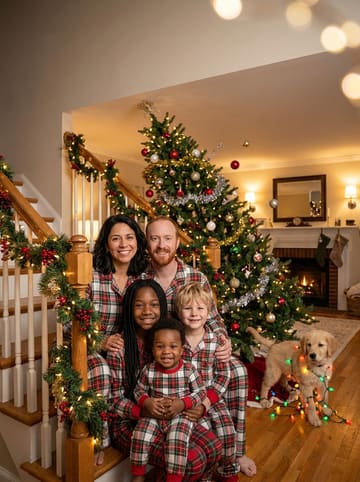
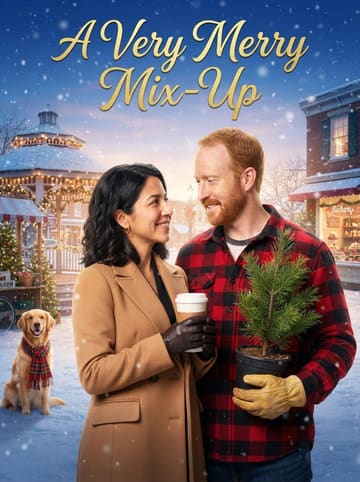
Pick by who's on it. For one child, the Nice List puts their name in Santa's book. For a couple, the Holiday Romance Movie makes the two of you a snowy poster. For the whole house, it's the sleigh or the stairs. If none of ours fit, there are 40 more card ideas to steal from.
Keep the message to one line
People don't write much on these, and they're right not to. The 24 cards with a message saved on them ran a median of six words, and the longest was 12. The picture is doing the talking.
If you're stuck, the Christmas card writer puts together a greeting, one line and a sign-off that fits how close you are. For lines to borrow, our card messages are sorted by who they're for, and the last name plural checker settles how to sign the family name.
When and how to send it
A HiWith card is a link, so it goes by text, WhatsApp or email and opens on any phone. There's no mailing deadline, and you won't be the only one making it on the 22nd: searches for these cards bunch up in the week before Christmas, year after year.
If any of your cards are going on paper, the post office sets the pace instead. Our last day to mail Christmas cards page has this year's USPS dates.
One small thing that helps: send the link with a sentence in your own words, so Grandma knows it isn't spam.
What happens to the photos
They're private and used only to make your card. We never use them to train AI, and we delete them after 30 days unless you keep the card. Only the people you send the link to can see it.
How it works
- Pick a cardPilots, mermaids, rock stars, one very surprised cake. Every one shows a real example first.
- Add their photosOne clear face each, up to 5 people. A selfie is fine. No sign-up.
- Preview it, then payOne picture of them in the card in about 20 seconds. Like it? Apple Pay or Google Pay, and four pictures arrive about 20 seconds later, the video in about 90.
Can AI make a Christmas card from separate photos?
Yes. On HiWith each person comes from their own photo, up to five on the group scenes, and nobody has to be in the same picture or the same place. 328 of the first 834 cards had two or more people put together that way.
How do I make an AI family Christmas photo in ChatGPT or Gemini?
Attach one clear photo per person, say how many people there are, name the scene and the outfits, and tell it to keep every face unchanged and add nobody else. Our AI Christmas photo prompts have 26 to copy. We tested a sample on Google's Gemini image model, not in ChatGPT.
Can the dog be on the card?
On the Family Reindeer, yes. The dog gets the driver's seat. Use a photo of the dog on its own, with its face toward the camera.
How long should the message be?
One line is plenty. The 24 cards with a message saved on them had a median of six words, and none went past 12.
Do I have to print it?
No. It's a link that opens on any phone, sent by text, WhatsApp or email. We don't print or mail anything, so for a paper card you'd want a print shop.
By HiWith (Winding AI, Inc.) · support@winding.ai · Updated